
Split expenses.Control your money.
Splittier is the AI app to split expenses with friends —trips, flatshare, or any plan— and manage your personal finances in one place. No invasive ads. No silly limits.
Splittier splits expenses with your friends, organizes your personal finances and logs receipts with AI — effortlessly. Your money, in groups or solo, finally in one place.
Goodbye spreadsheets
Forget Excel, mobile notes and texts reminding amounts.
Budgets that warn you
Set limits by category and get an alert before you overspend.
No more chasing
Gentle reminders so everyone pays their part without you nagging.
Pay only for what you use
No forced subscriptions, no paywalls blocking the basics.
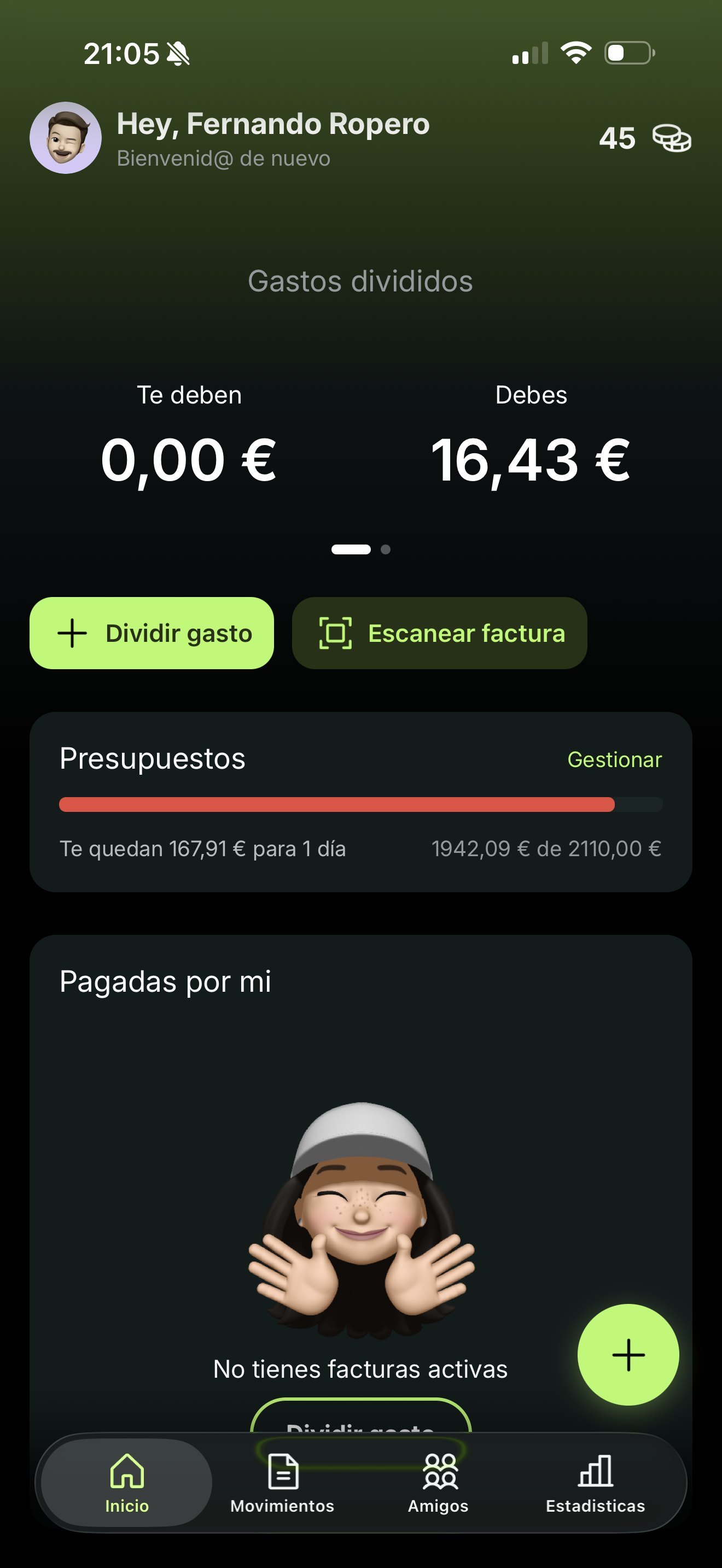
Shared and personal expenses
— all in one place
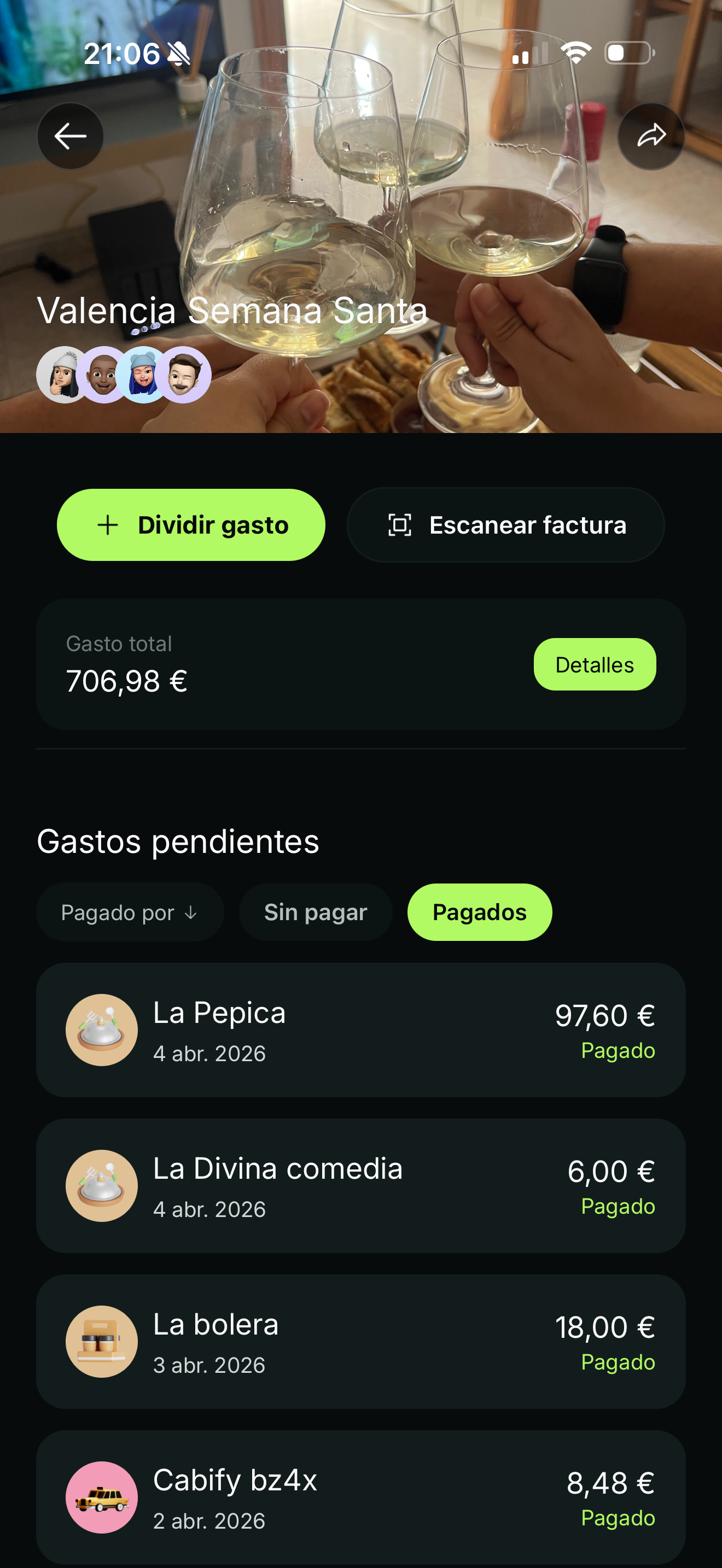
Group expenseswithout arguments.
Create groups for trips, flatshares or nights out. Everyone sees in real time who owes what to whom, with smart settlements that minimize transfers.
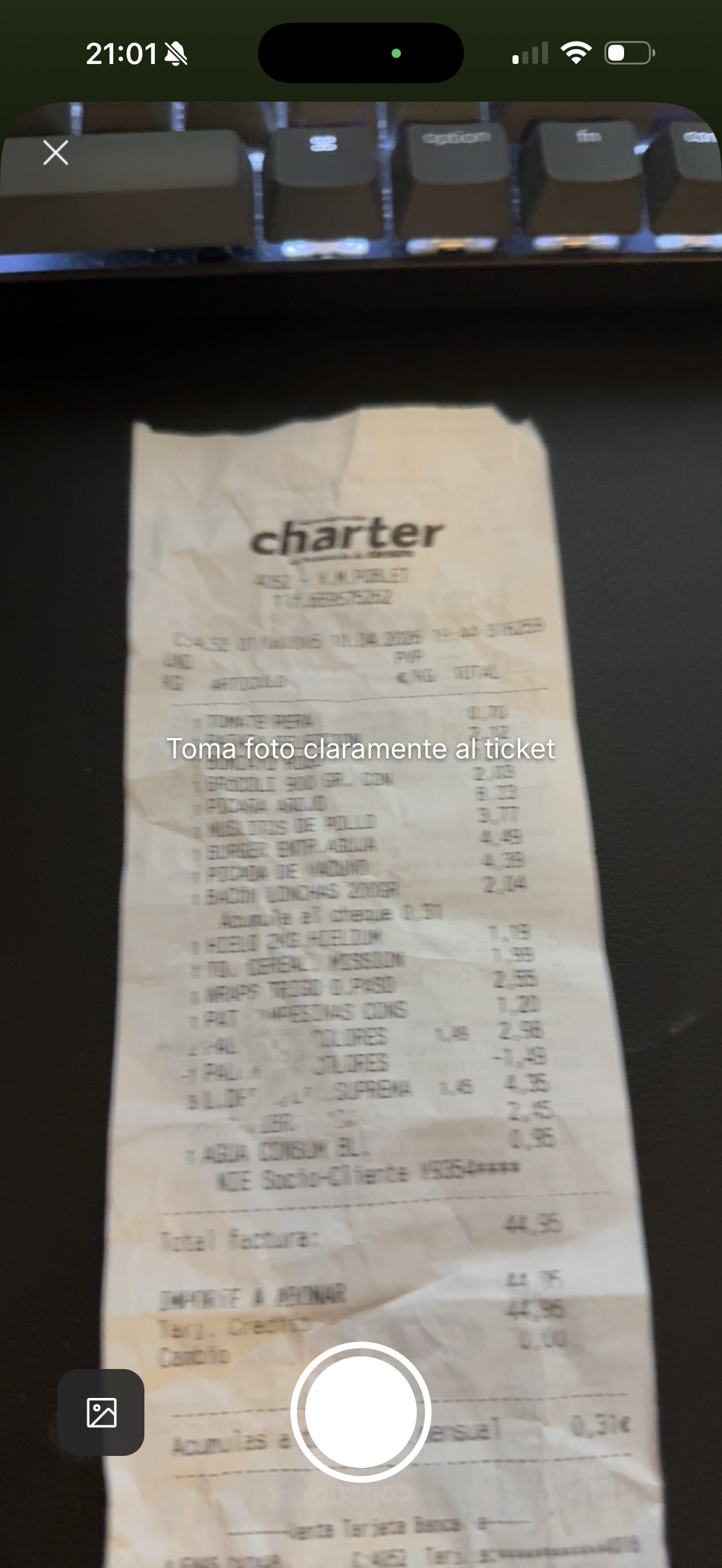
Scan the receipt.Expense created.
Point the camera and AI extracts the amounts and creates the expense automatically. About 5 seconds per receipt — no typing.

Add expensesby talking.
Tell it what you spent, with whom and where. Splittier records and splits it. It also answers questions: how much you spent this month, comparisons with previous months and more.
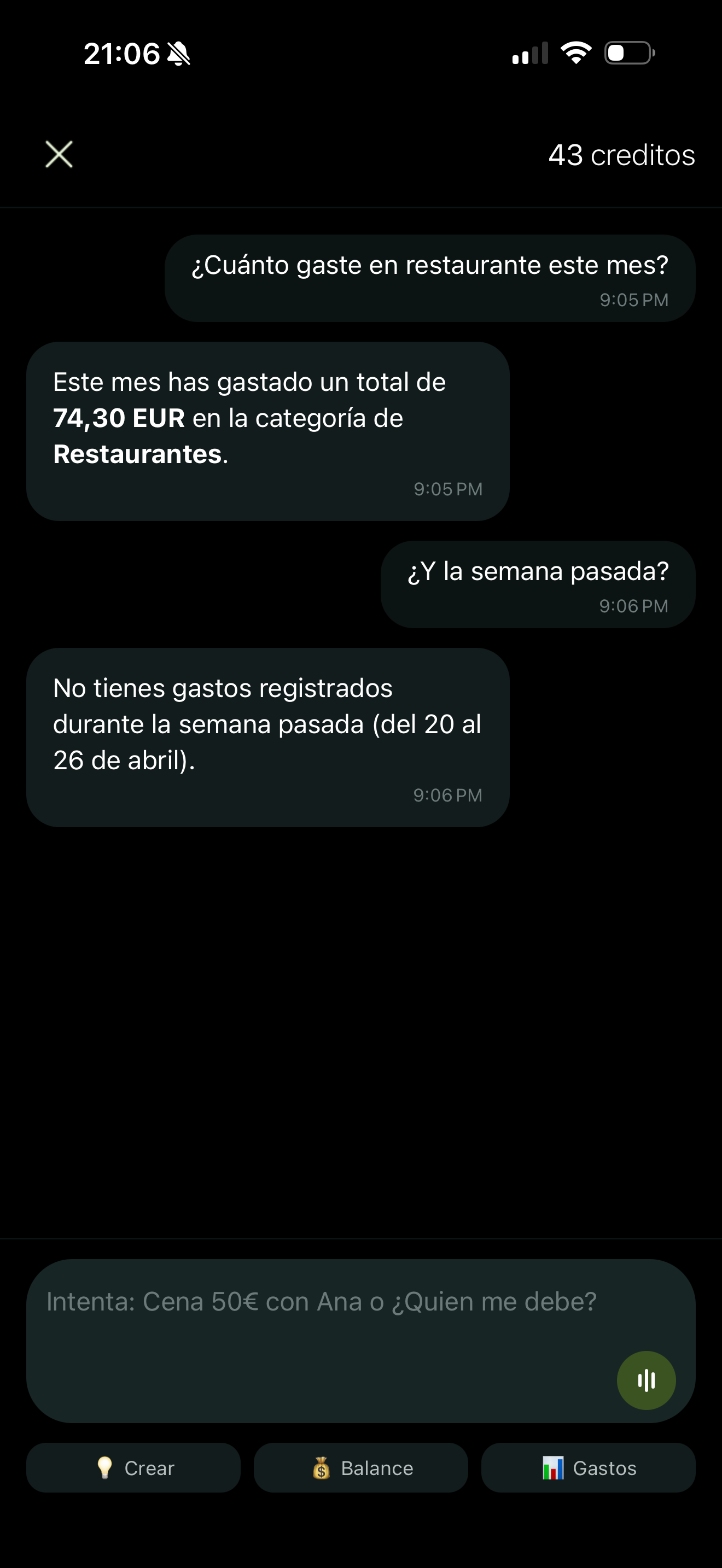
Askyour money.
How much did I spend on restaurants? How am I doing this month vs last? Query your personal and shared finances in natural language.
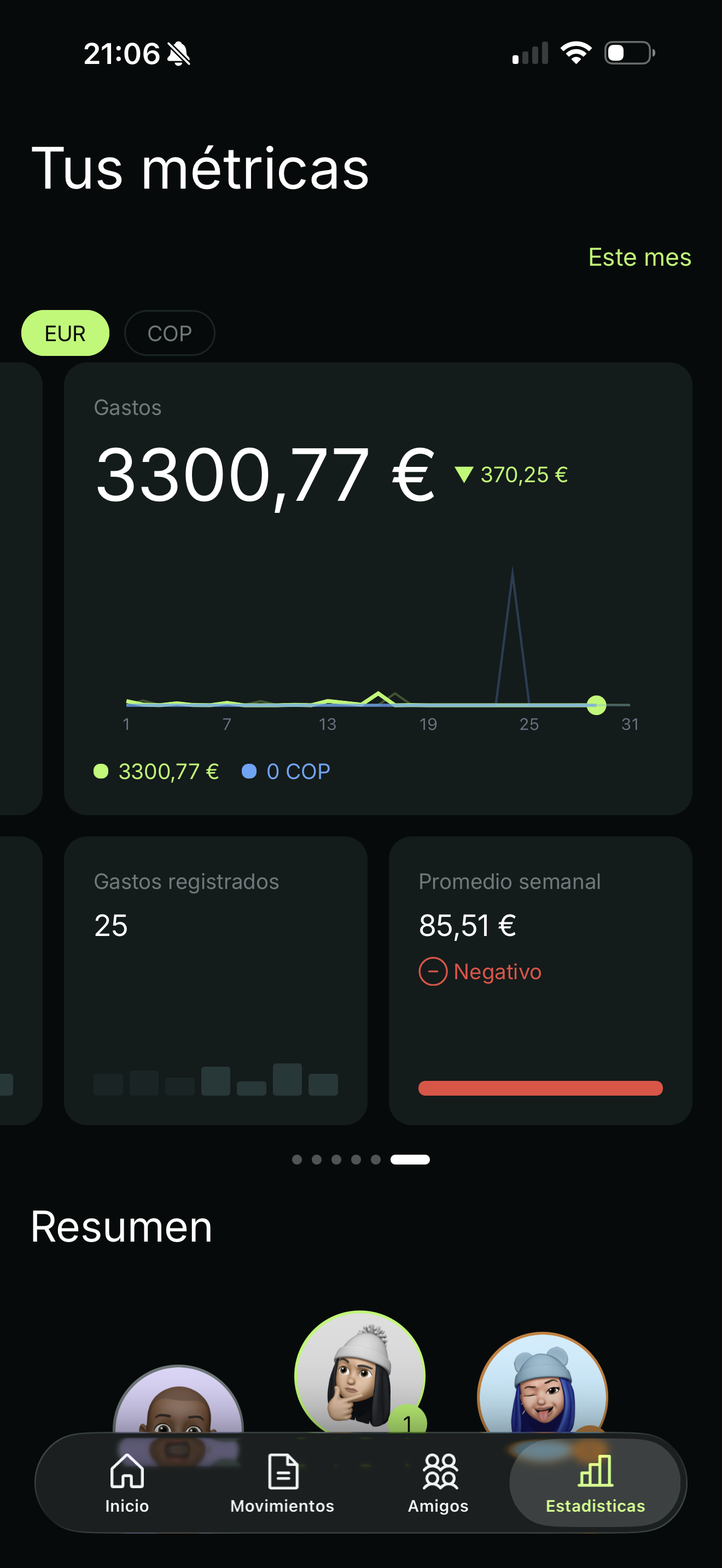
Understandwhere it goes.
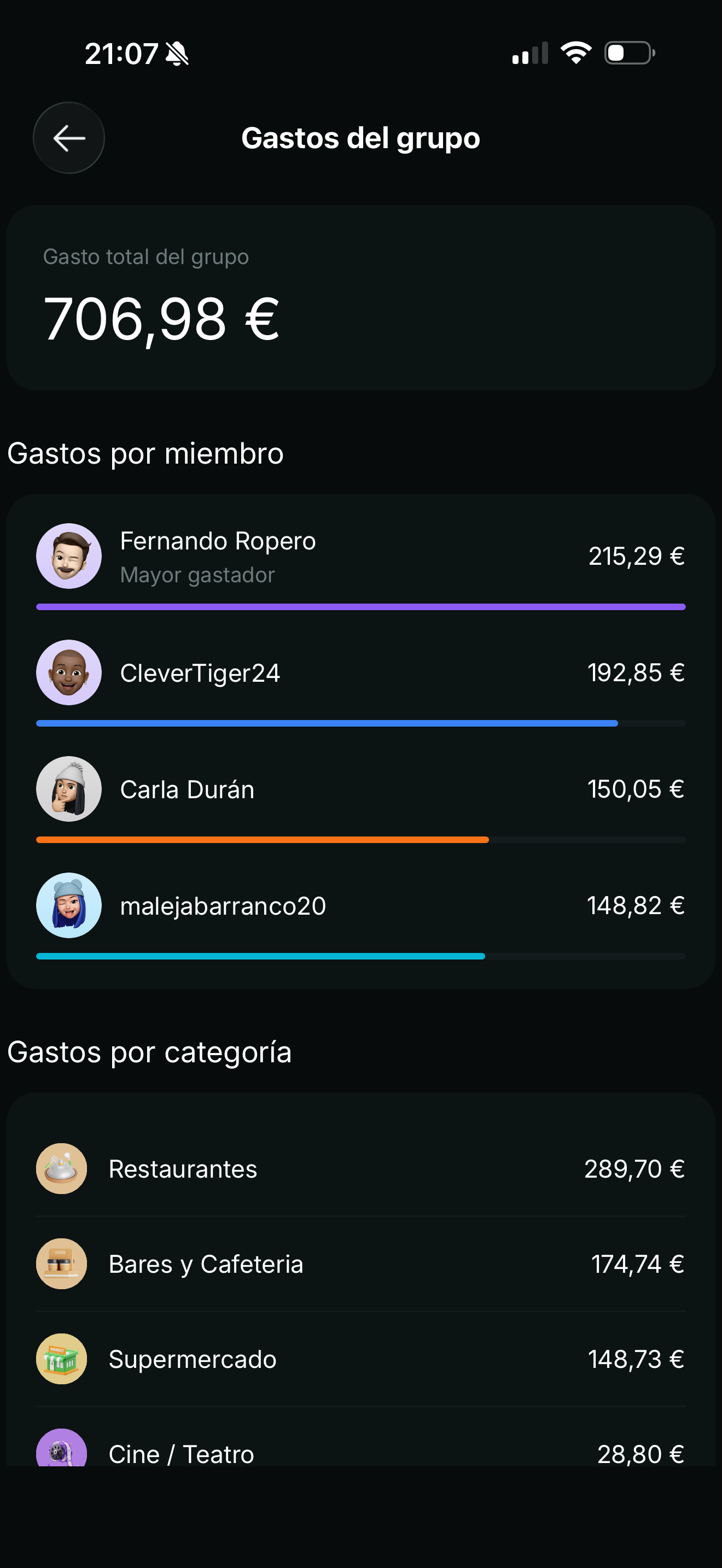
Detailed stats by category, person and group. Month-by-month comparisons and spending patterns you didn't know you had.
Group expenseswithout arguments.
Create groups for trips, flatshares or nights out. Everyone sees in real time who owes what to whom, with smart settlements that minimize transfers.
The simplest way to split expenses
and control your personal finances.
Receipt OCR in seconds
Photo, extraction and automatic split in about 5 seconds. No typing amounts or categories.
Voice with AI
Add expenses by speaking, in natural language. Perfect when driving or when you can't stop to type.
Chat with your money
Ask Splittier in natural language: how much you spent, on what, comparisons to previous months.
Recurring expenses
Rent, subscriptions and services are recorded automatically every month. Set them once and forget.
Bulk upload
Add many expenses at once at month-end from a single screen — or upload photos of multiple receipts and AI creates them for you.
Smart settlements
Splittier calculates the optimal way to settle group debts and minimizes transfers between friends.
Personal finances
Use Splittier solo, in groups or both. One place for shared and personal expenses.
Multi-currency
Automatic conversion for trips and international groups. Each expense in its currency, totals in yours.
No invasive ads, no silly limits
A modern alternative to Splitwise and Tricount: no paywalls blocking basic features and no annoying advertising.
Splittier for everyday life
Four scenarios where the app fits and starts saving you time from the first expense.
Trips with friends
Multi-currency, OCR and smart settlements so you come home without arguments.
Flatshare
Rent, utilities and the weekly shop on autopilot.
Restaurant bill
Snap the receipt and adjust uneven shares in seconds. No calculator.
Couple expenses
50/50 or proportional. Shared and personal in the same app.
Splittier vs other shared-expenses apps
If you come from Splitwise or Tricount, Splittier will feel familiar — with several extra features designed to make life easier: personal finance, voice AI, receipt OCR, recurring expenses and smart settlements included.
Everything you wanted to know about Splittier
Split expenses with friends.
Control your money.
No credit card. No silly limits. Available on iOS and Android.